Connecting to the Kitchen Speaker
Connecting to and Controlling the Master Bedroom Speaker
Connecting to the Kitchen Speaker

Feel free to use the hi-res wireless speaker that is in the Kitchen
Connect by going to the Bluetooth settings on your personal device and select 'BT Kitchen Bluesound'. Once connected, you can stream music from your device to the speakers
Fun Fact: These speakers are high-end multi-room wireless speakers produced by a Canadian company based in Pickering, Ontario. For more info visit www.bluesound.com
Controlling the Kitchen Speaker
Connecting to and Controlling the Master Bedroom Speaker
Connecting to the Kitchen Speaker

Use your device or the control panel on the speaker to adjust the volume, pause/play, or skip to the next song.
Note: The max volume of the speakers has been limited to ensure music is not played too loudly, so don't be confused when the speaker doesn't go as loud as it's capable. To reach the max volume that has been set, press and hold the + button on the control panel.
Connecting to and Controlling the Master Bedroom Speaker
Connecting to and Controlling the Master Bedroom Speaker
Connecting to and Controlling the Master Bedroom Speaker
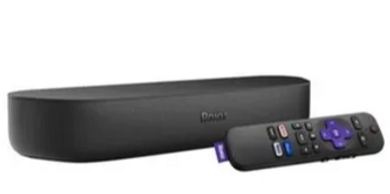
Connect your device via bluetooth, to stream music on the Roku soundbar. Follow the on-screen instructions on the TV.